From the Token Market homepage, open Sign in. You can also Sign up here. Register with an email verification code, then sign in with your email and password.
1 · Redeem a voucher: Contact us to get a voucher. In the console, open “Billing”, enter the voucher code under “Redeem Top-Up Code”, and select “Redeem”.

2 · Pay online: In the console, open “Billing” and select “Add Balance”. Enter an amount and complete payment; your balance updates immediately.
Open console, open API Keys, click Create API Key, enter a name, and select at least one token group. You can select multiple token groups. After creation, copy and save the Key; the complete Key is shown only once.
Open Model Market, with text models already selected. Choose an available model and copy its ID using the button at the top right of its card for your next request.
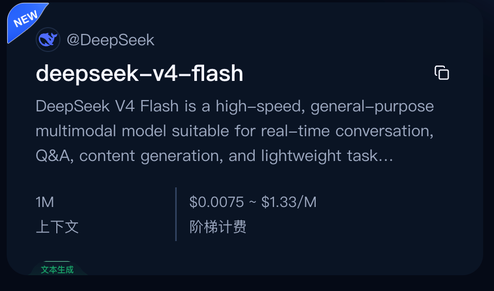
 Copy model ID
Choose Bash, or PowerShell 7 on Windows. Enter the model ID and API Key when prompted; do not change the API endpoint. HTTP 200 confirms success.
{
printf 'Model ID: '
read -r MODEL_ID
printf 'API key: '
read -r -s API_KEY
printf '\n'
export MODEL_ID API_KEY
export API_BASE='https://api.tokensmarket.ai/v1'

curl --silent --show-error \
  --connect-timeout 15 --max-time 120 \
  --request POST "$API_BASE/chat/completions" \
  --header "Authorization: Bearer $API_KEY" \
  --header 'Content-Type: application/json' \
  --data "{\"model\":\"$MODEL_ID\",\"messages\":[{\"role\":\"user\",\"content\":\"Reply with Hello World.\"}],\"stream\":false}" \
  --write-out '\nHTTP %{http_code}\n'

unset API_KEY MODEL_ID API_BASE
}{
"choices": [{
"message": {"role": "assistant", "content": "Hello World!"}
}]
}
HTTP 200